Xsan Backup

Keep the data on your Xsan safe!
Xsan itself offers no option for backing up data. In the event of a failure, the availability of your data will be compromised. Archiware P5 Synchronize and P5 Backup were developed to meet the high demands of Xsan environments.
Background: What is Xsan?
Xsan is Apple’s clustered file system or SAN for macOS. Through this solution, multiple desktop computers and Xserve systems can share RAID storage volumes over a high speed Fiber Channel network. RAID systems serve as SAN storage. Access to the distributed storage space is provided by a metadata controller.
To protect against failure, the entire system is set up with redundant components, including those active parts like Fiber Channel switches and metadata controller. External access to data on the Xsan over the Ethernet network is provided via file-sharing protocols, such as AFP, SMB/CIFS, and NFS.
Data security through P5 Backup
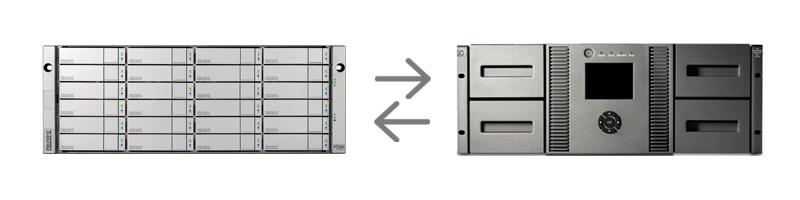
P5 Backup secures your data by copying it to an external storage such as tape or disk. The backup process automatically recognizes all data that needs to be secured and copies it to the attached backup media, such as an LTO tape library.
This type of backup process is particularly useful for off-site storage, like in a safe. LTO Tape is considered the safest long-term storage media currently on the market, with new generations being released every few years and capacity doubling in each generation.
Data availability through P5 Synchronize
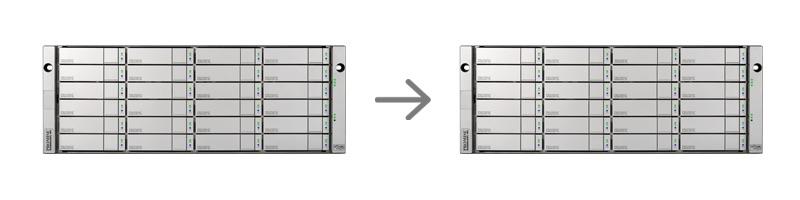
A classic backup is often not sufficient to secure a running production. In many cases, data availability needs to be guaranteed during working hours, sometimes even around the clock. P5 Synchronize is the ideal solution to monitor data continuously and replicate changes onto a storage target.
Older file versions or even whole snapshots are easily accessible with P5 Synchronize. P5 enables highly efficient saving of Xsan volumes using FSEvents.
Xsan Backup with P5 Synchronize and Backup

P5 Synchronize mirrors your data onto a second hard drive system. It prevents your production and workflow from downtime and loss of valuable data. This option is a failover solution that guarantees minimal down time without restores.
Additionally, you can add P5 Backup to your setup.
Backup times can be scheduled in advance, with the option to choose the retention times according to your needs. In case of a failure, all your data can be recovered from the external media.
P5 takes advantage of the high data transfer rates that Xsan provides. Therefore, P5 Synchronize and Backup provide the shortest possible backup and restore times.
LTO Facts
LTO-10
| Speed | up to 400 MB/s uncompressed |
|---|---|
| Capacity | 40,0 TB media available |
| Security | Encryption, Servo Tracks, WORM, Verify, Error Correction, Auto Speed |
| Lifespan | Certified for 30 Years |
| Off-site storage | Simple, reliable, cost-effective |
LTO-9
| Speed | up to 400 MB/s uncompressed |
|---|---|
| Capacity | 18,0 TB uncompressed |
| Security | Encryption, Servo Tracks, WORM, Verify, Error Correction, Auto Speed |
| Lifespan | Certified for 30 Years |
| Off-site storage | Simple, reliable, cost-effective |